



To provide you more robust and versatile monitoring experience, FIMER has officially transitioned its monitoring services. Please note that the Plant Viewer app has been phased out and will no longer support performance monitoring for your grid-connected solar system.
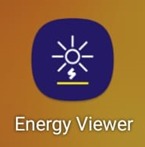
In its place, FIMER has launched the Energy Viewer app. This updated platform offers enhanced performance, real-time data accuracy, and a more comprehensive set of features to manage your solar PV system effectively.
Customer Instructions
To ensure continued and improved monitoring of your solar PV system, please follow the steps below to access your plant data using the updated mobile application.
📱 Step 1: Download the App
Please download the Energy Viewer mobile application from your app store / google play store.
If you are currently using the Plant Viewer app, kindly switch to the new Energy Viewer app for better performance and updated features.
🔐 Step 2: Login
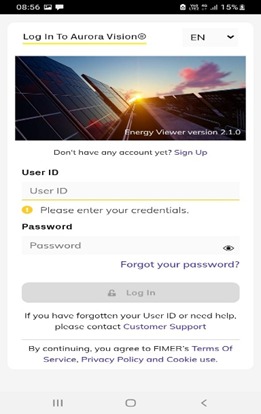
- Open the app
- Enter your User ID and Password
🏭 Step 3: Select Your Plant
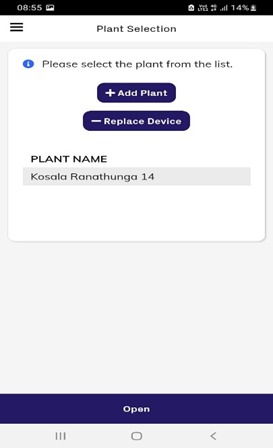
- After logging in, you will see your Plant Name listed
- Select your plant from the list
▶️ Step 4: Open the Plant
- At the bottom of the screen, tap on “Open”
📊 Step 5: View Your System
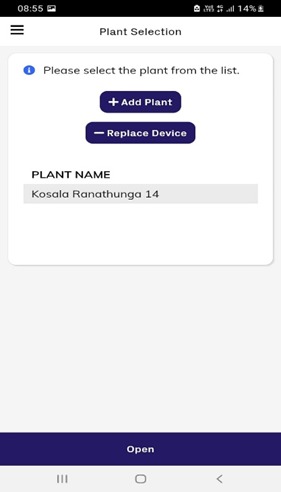
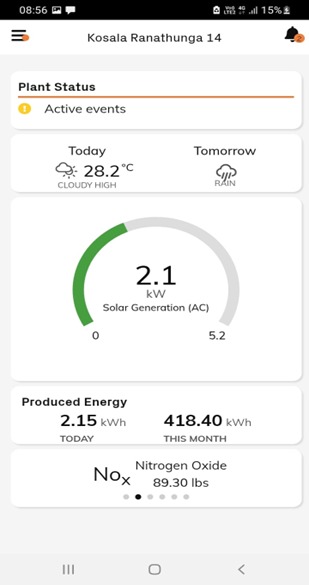
- You will now be able to access your system dashboard
- The final interface will display your plant’s performance and data
If you encounter any issues during this process, please feel free to contact us for assistance. 0778909763 (Umesh) , 077 397 2828 (Malindu)
Warm regards,
Virideo Lanka (Pvt) Ltd
Your Trusted Solar Partner Since 2011